Diese Seite ist durch ReCaptcha geschützt und es gelten die Google Datenschutzerklärung und AGB.
Diese Seite ist durch ReCaptcha geschützt und es gelten die Google Datenschutzerklärung und AGB.
Größter deutscher Chat
Klimaneutrales Unternehmen
BKA-Kooperation für mehr Sicherheit
Knuddels - Dein deutscher Chat zum Leute kennenlernen und Spielen Willkommen im größten deutschen Chatroom!
Knuddels.de ist ein deutscher Chat und die größte Chat-Community in Deutschland. Knüpfe spontan neue Kontakte oder finde gezielt Personen mit ähnlichen Interessen. Registriere dich jetzt, um mit spannenden Menschen zu chatten!
Viele aktive Mitglieder
Coole Themen-Channel
Über 100 Online-Spiele
Dein Flirt-Chat Du willst jemanden kennenlernen?
Wir lassen es zwischen euch knistern. Schau dazu in unseren vorgesehenen Chatrooms vorbei und mach deinen nächsten Chat zum Flirt-Chat. Oder spiele Fotomeet und swipe dich ganz einfach zum nächsten Match. Viel Spaß!
Deine Online-Spiele Einfach online mit deinen Freunden spielen
Bei uns findest du nicht nur interessante Chats, wir haben auch zahlreiche kostenlose Online-Spiele für dich. In speziellen Chatrooms kannst du auf Weltreise gehen, dein Talent als Künstler bei Picasso zeigen und zahlreiche Spezial-Fähigkeiten bei über 3000 exklusiven Smileys entdecken.
Dein kostenloser Chat Freunde fürs Leben finden
In einem Online-Chat echte Freundschaften knüpfen? Aber klar! Bei uns findest du in zahlreichen Chatrooms Gleichgesinnte, mit denen du dich austauschen, verbinden und anfreunden kannst – und das völlig kostenlos. Wer weiß, vielleicht findet sich hier dein neuer Lieblingsmensch?
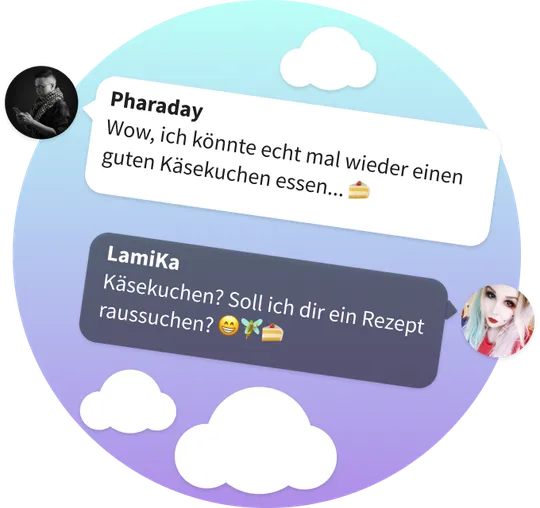
Deine Themen Über Themen chatten, die dich bewegen
In unseren Themen-Chatrooms findest du Menschen, die sich für die gleichen Themen interessieren wie du. Startet doch ein Expertengespräch über Käsekuchen – oder sind Züge eher dein Ding? Das Beste: Wir sind ein kostenloser Chat!
Werde jetzt Teil der Community!
Häufige Fragen zum Knuddels Chat
Ein Chat ist ein virtueller Ort im Internet, an dem du mit vielen anderen Menschen reden (‘chatten’) kannst. Dabei kannst du völlig kostenlos chatten. Die Anmeldung und die Nutzung des Chats kosten hier kein Geld. Du kannst dir also direkt deinen Lieblings-Chatroom aussuchen und loslegen. Das Schöne an einem Online-Chat ist, dass du nur deinen Computer oder dein Handy brauchst und du direkt ein Gespräch anfangen kannst. Außerdem kannst du Leute kennenlernen, denen du sonst vielleicht nie begegnet wärst. In unserem Chat kannst du auch in Kontakt mit Menschen bleiben und sie wieder treffen. Gerade wenn du Freunde finden möchtest oder mit deinem Crush weiter flirten möchtest, ist das ein sehr wichtiger Bestandteil von einem Chat. Mit Nickname und Passwort kannst du dich immer wieder einloggen. Du bist hier bei Knuddels. Knuddels ist ein ganz besonderer Chat. Wir vergleichen uns gerne mit einem großen gemütlichen Café, in dem es viele unterschiedliche Ecken und Räume gibt, die wir Channel nennen. Jeder Channel ist dann also ein Chatroom. Einige Channel sind eher mit einer großen Bar vergleichbar, in der man schnell ins Gespräch kommt und sogar einen interessanten Flirt findet. Unser Chat bietet aber auch viele kleine Räume, in denen du ganz in Ruhe neue Freunde finden kannst, die ähnliche Interessen haben wie du.
Knuddels ist ein gratis Chat. Das bedeutet, du kannst direkt in den Genuss kommen, mit vielen Menschen zu chatten. Direkt nach der Anmeldung landest du schon in deinem ersten Chatroom. Hier findest du im unteren Bereich eine Chat-Zeile, in der du deine Nachricht an die Community schreiben kannst. Anschließend musst du nur Enter drücken und schon sieht jeder im aktuellen Chatroom deine Nachricht.
Wir sind ein deutscher Chat. Deswegen hast du als Chatter wahrscheinlich die besten Chancen auf Antworten, wenn du auf deutsch schreibst. Wir haben eine große Liste an Chatrooms für dich. Wenn du in einen anderen Chatroom wechseln willst, kannst du im Hauptmenü einfach die Channel-Auswahl öffnen. Du kannst aber nicht nur öffentlich online chatten. Wir haben auch einen Messenger für dich. Hier kannst du mit deinen Kontakten privat chatten, ohne dass es andere mitbekommen. Also so, wie du es von anderen Messengern kennst.
Im Knuddels Chat kannst du komplett kostenlos chatten. Du kannst dich ganz unkompliziert und ohne versteckte Kosten anmelden, Nickname und Passwort auswählen und direkt mit deinem ersten Chat kostenlos starten. Du kennst es bestimmt von anderen Plattformen, dass du Geld bezahlen musst, wenn du neue Leute kennen lernen willst. Bei uns ist das anders. Wir sind ein gratis Chat.
Nach der Anmeldung in unserem Knuddels gratis Chat kommst du direkt in den ersten Chatroom und findest eine große Gruppe von Menschen, die gerne online chatten. Du musst nicht bezahlen, um dir das Profil von anderen Mitgliedern anzuschauen, du musst nicht bezahlen, um andere Mitglieder anzuschreiben und du musst auch nicht bezahlen, um nette Leute auf deine eigene Freundesliste zu setzen. Bei uns gibt es auch keine begrenzte Testphase, wenn du kostenlos chatten willst.
Du kannst jederzeit wiederkommen und einfach weiter chatten, ohne dass es dich etwas kostet. Abonniere gerne unseren kostenlosen Newsletter, wenn du alle Vorteile beim Chatten kennenlernen willst.
Wir wollen deine Nutzung von Knuddels an deine Bedürfnisse
anpassen. Deswegen haben wir auch eine gratis Chat-App für dich. Und nicht nur eine. Wir haben zum einen
eine App für deinen Computer – damit
bekommt Knuddels einen ganz besonderen Platz auf deinem PC.
Wir haben aber auch Apps für das
mobile Chatten. Sowohl für Android als auch für iOS.
Wenn du dir direkt die Knuddels App runterladen, chatten und neue Leute kennenlernen willst, dann klicke
hier einfach auf den entsprechenden Link zu der Chat-App, die für dich passt. Wir versorgen dich
außerdem regelmäßig mit coolen Updates der Apps, damit es noch mehr Spaß für dich macht, auf Knuddels zu
chatten.
Knuddels ist ein kostenloser Chat. Das gilt selbstverständlich auch für unsere Apps. Du
als Chatter musst nichts für den Download zahlen und alle Updates sind für dich auch gratis. Wenn dir
der Knuddels Chat gefällt, dann hinterlasse doch gerne eine positive Bewertung mit deinen Erfahrungen
und deinem Feedback im App Store für uns. Damit hilfst du uns, Knuddels noch besser zu machen.
Knuddels ist ein Live-Chat. Jedes Mitglied, das du im Chatroom siehst, ist also genau zum gleichen Zeitpunkt online wie du.
Du bist dir noch nicht sicher, was du im Chat schreiben sollst und du möchtest erstmal herausfinden, was andere Chatter gerade so schreiben und machen? Kein Problem. Du kannst auch erst mal dem Live-Chat zuschauen und beobachten, wie die anderen Knuddels nutzen. Wenn du etwas interessant findest, zögere nicht deine eigenen Gedanken in den Chat zu schreiben und mit den anderen Kontakt aufzunehmen.
Wenn du nicht willst, dass alle im Chat eine persönliche Nachricht von dir sehen, kannst du einfach in unserem Messenger mit der Person deiner Wahl weiter chatten. Wenn du wissen willst, ob einer deiner Kontakte gerade online ist und du direkt einen Live-Chat starten kannst, dann siehst du das an dem grünen Punkt am Profilbild deiner Kontakte. Es kann passieren, dass dich ein anderes Mitglied interessant findet und mit dir chatten will. Neue Nachrichten werden dir direkt im Hauptmenü angezeigt und es ertönt ein Benachrichtigungston. Eben so, wie du es von einem Live-Chat erwartest.
Wir sagen: Knuddels ist nicht nur ein cooler deutscher Chat... Knuddels ist der beste Chat. Wir verbinden viele spannende Erlebnisse auf einer Plattform und sind dabei auch noch ein kostenloser Chat. Du kannst bei uns einfach ungezwungen im Chatroom unterwegs sein und mit Freunden und neuen Leuten chatten. Nicht nur Männer und Frauen sind bei uns willkommen. Du kannst in der Registrierung auch 'divers' als Geschlecht angeben.
Du kannst Knuddels aber auch als Flirt-Chat nutzen. Besuche doch einfach mal unseren Chatroom Flirt. Außerdem haben wir für dich unser spannendes Chat Spiel Fotomeet - Selten war es einfacher, jemand Passendes für Dating zu finden. Hier kannst du swipen und matchen, so wie du es von anderen Plattformen kennst. Wir haben aber auch noch viele andere tolle Chat Spiele für dich. Viele der Spiele, die du auf Knuddels findest, werden von unseren Mitgliedern für die Community im Eigenbau entwickelt – so entstehen, frei nach dem Motto “Von Mitgliedern, für Mitglieder”, viele spannende und einzigartige Chat Spiele, die du so nur auf Knuddels finden wirst.
Wir legen außerdem sehr viel Wert darauf, dass sich alle im Chat möglichst wohlfühlen. Die Mitglieder unserer Community richten sich dabei nach vier Grundwerten: Sie möchten gemeinsam Spaß haben, sind rücksichtsvoll, hilfsbereit und freundlich.
Einen Überblick darüber, welche anderen deutschen Chat-Apps es gibt, findest du in unserem Chatvergleich. Dort kannst du lesen, wieso der deutsche Chat Knuddels besser als seine Konkurrenten Chatroom2000, Cleefchat, Basechat oder Spin ist.
Unser kostenloser Chat bietet dir eine Vielzahl an Möglichkeiten, wenn du neue Leute kennenlernen willst, wenn du neue Freunde finden willst oder wenn du einen potentiellen Partner oder eine Freundschaft Plus finden willst.
Wenn du einen Flirt-Chat suchst, besuche doch zum Beispiel den Channel Flirt – ein Chatroom von über 400 auf Knuddels. Möchtest du spielerisch mit anderen Männern und Frauen ins Gespräch kommen, kannst du bei uns kostenlos Fotomeet spielen und so herausfinden, welche potentiellen Chatpartner dich auf Anhieb sympathisch finden. Falls dein Fokus eher auf gemeinsames chatten und Online-Spielen liegt, findest du garantiert auch den passenden Chatroom für dich!
Natürlich ist es auch möglich, mit Hilfe von unseren Lokalrunde-Channeln nette Kontakte in deiner Umgebung zu finden und vielleicht sogar ein interessantes Online-Date zu verabreden. Wir sind ein deutscher Chat. Wenn du neue Leute kennenlernen und Freundschaften knüpfen willst, wird dir also keine Sprachbarriere beim Chatten im Weg stehen.
Der Knuddels Chat bietet dir eine Vielzahl an Games, mit denen du alleine oder in der Gruppe mit Freunden online spielen und dir deine Zeit vertreiben kannst. Dabei kannst du auch ganz ungezwungen neue Leute kennenlernen. Egal ob du virtuell auf Weltreise gehen möchtest oder lieber deine Zeichenkünste bei Picasso zeigen willst, in unseren Gaming-Chatrooms ist für jeden Geschmack etwas dabei. Bei uns kannst du nicht nur kostenlos chatten, sondern auch kostenlos spielen, online mit deinen Freunden.
Wenn du direkt starten willst, dann registriere dich jetzt und klicke im Hauptmenü auf “Apps und Spiele”. Da findest du eine große Liste von Games, die du direkt ausprobieren kannst. Im Chat gibt es außerdem noch unsere exklusiven Smileys für dich. Damit kannst du beim Chatten noch mehr Aufmerksamkeit erregen. Manche Smileys haben außerdem besondere Fähigkeiten im Chat.
Du hast also noch mehr Möglichkeiten, um mit Freunden spielen zu können. Wir haben außerdem unsere Smiley-Börse. Hier kannst du deinen Lieblings Smiley finden und direkt zum Chatten verwenden.
Bei Knuddels kannst du anonym chatten, dein Nickname muss also nicht dein Name sein. Andere Mitglieder freuen sich, wenn sie ein Bild von dir sehen. Aber es ist keine Pflicht. Knuddels ist zwar anonym aber kein Chat ohne Anmeldung. Um unseren Online-Chat zu verwenden, benötigen wir dein Alter, dein Geschlecht und deinen Wunschnamen. Knuddels ist also auch ein kostenloser Chat.
Beachte, dass du zwar viel Freiheit beim anonym chatten hast, Knuddels aber kein rechtsfreier Raum ist und Verstöße zu Konsequenzen führen. Wir wollen, dass sich alle Mitglieder auf der Plattform wohlfühlen. Wenn du wissen möchtest, wie du dich am besten im Chat verhalten kannst, um Spaß zu haben – vor allem wenn du neue Leute kennenlernen willst – dann schaue dir am besten mal unsere Philosophie für den Chat an. Wir haben sie hier für dich verlinkt.
Wenn du möchtest, kannst du im Chat noch mehr Angaben zu dir in deinem Profil ausfüllen. Je mehr du von dir zeigst, desto besser stehen die Chancen, dass andere auf dich aufmerksam werden, Interesse an dir zeigen und mit dir chatten wollen. Zum Freunde finden und Leute kennenlernen, empfehlen wir dir also, so viel wie möglich bei dir im Profil auszufüllen.
Knuddels ist kein Chat ohne Anmeldung. Wir benötigen ein paar Informationen von dir, damit du mit den anderen Mitgliedern online chatten kannst. Bei der Registrierung kannst du zunächst auswählen, ob du zuerst online spielen willst oder ob du zuerst chatten willst. Wir schicken dich nach der Registrierung dann in den entsprechenden Chatroom. Außerdem benötigen wir für die Nutzung dein Alter und dein Geschlecht. Damit wollen wir unseren Mitgliedern beim Chatten helfen, die passenden Gesprächspartner auszuwählen.
In der Registrierung kannst du auch deinen Wunsch-Nick angeben. Dieser Name ist dann für andere im Chat sichtbar. Zusätzlich benötigen wir noch ein Passwort, um deinen Account vor fremdem Zugriff zu schützen. Wenn du also abgemeldet bist und wieder chatten willst, kommst du mit deinem Nick und deinem Passwort sofort wieder in deinen Lieblings Chatroom.
Wenn du möchtest, kannst du in der Registrierung auch noch ein Profilbild von dir hochladen. Es wird dann neben deinem Nick im Chatroom angezeigt. Ein Bild ist keine Pflicht, wir empfehlen es dir aber, wenn du unkompliziert neue Leute kennenlernen und Freunde finden willst.
Genau. Knuddels wurde 1999 als deutscher Chat gegründet und ist genau die Community aus den 2000ern, der vielen in Erinnerung geblieben ist. Mit der Aufregung des neuen Jahrtausends und der zunehmenden Verbreitung des Internets suchten die Menschen nach neuen Wegen, um zu interagieren und zu kommunizieren. Inmitten dieses technologischen Booms bot der Knuddels Chat 2000 schon eine innovative Plattform für Benutzer, um in Echtzeit zu chatten und neue Kontakte zu knüpfen.
Als Chat der 2000-er hat Knuddels eine lange Geschichte und viele Entwicklungsphasen des Internets und der Chat-Kommunikation miterlebt. Mit dem wachsenden Einfluss von Smartphones entstanden so mit der Zeit auch Apps für Android und iOS, die das mobile Chatten ermöglichen. Doch nicht nur das Thema Chat war in den 2000ern mit Knuddels ein großes Thema. Woran erinnerst du dich? Welche Klamotten hattest du an? Welche Musik hast du gehört? Welche Spiele hast du geliebt? Melde dich doch direkt bei Knuddels an und komm mit anderen ins Gespräch!
Ja, Knuddels ist definitiv ein deutscher Chat! Unsere Plattform bietet eine lebendige Community, in der Mitglieder aus ganz Deutschland und darüber hinaus zusammenkommen, um zu chatten, Spiele zu spielen und neue Freundschaften zu schließen. Bei Knuddels ist jeder willkommen, der nach einer freundlichen und interaktiven Chat-Umgebung sucht, und das komplett auf Deutsch!
Als deutscher Chat zielt Knuddels darauf ab, ein umfassendes und bereicherndes Chat-Erlebnis zu bieten. Unser Ziel ist es, ein unterhaltsames und einladendes Chat-Erlebnis für alle zu bieten, das auf die Bedürfnisse und Wünsche unserer Mitglieder zugeschnitten ist. Egal, ob du an Spielen interessiert bist, neue Leute kennenlernen möchtest oder einfach nur in verschiedenen Chatrooms plaudern willst, als deutscher Chat ist Knuddels der Ort, an dem all dies möglich ist.